
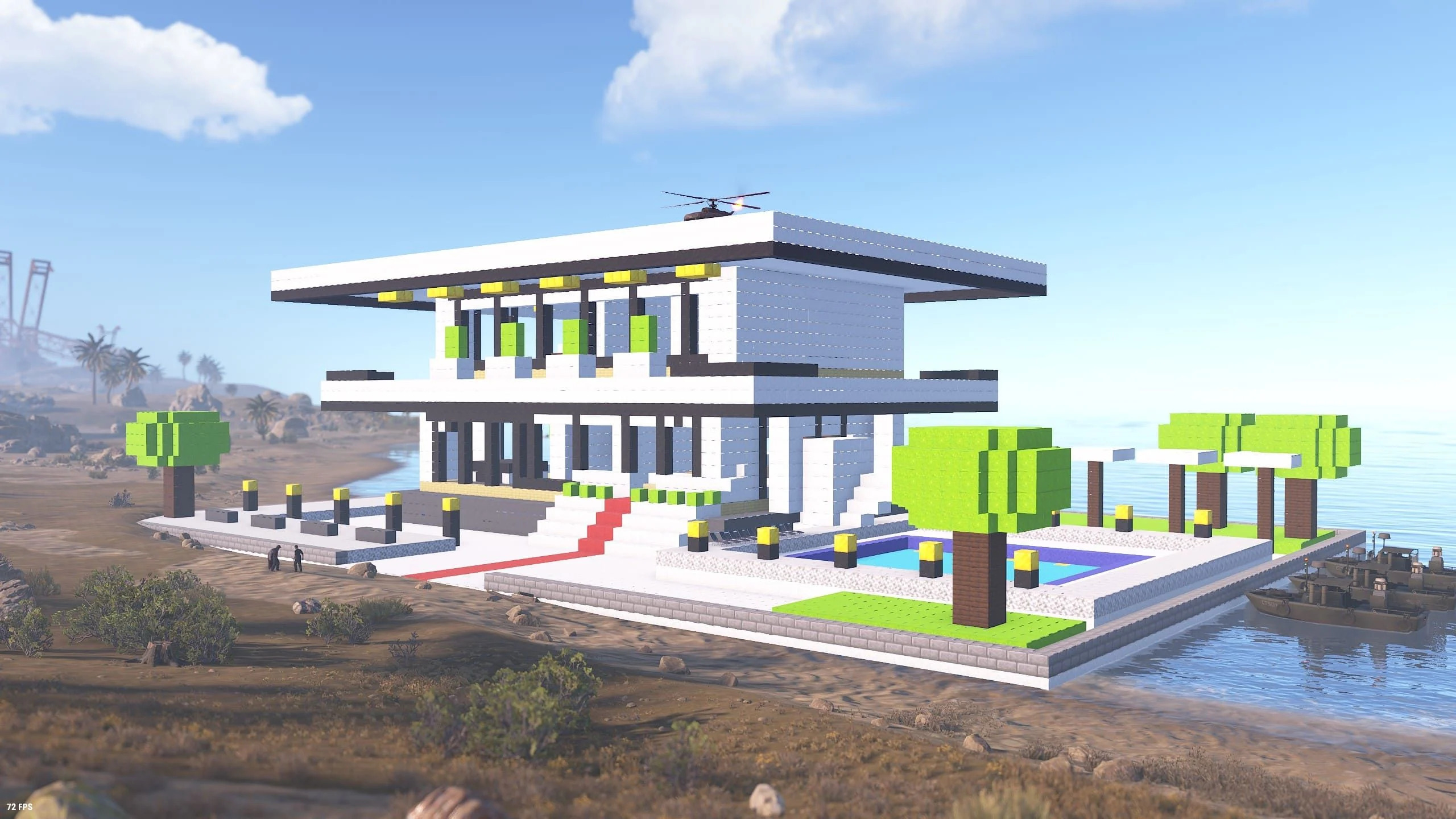
Cube Build
Stack Up Your Imagination.
Stack cube blocks one by one into houses, castles, towers, statues — anything you can dream up.
The RUST wasteland becomes your giant canvas 🎨
What Is Cube Build?
Cube Build is a MOD that brings Minecraft-style building to RUST. Grab the dedicated item — the Cube Planner — and stack blocks one by one to create houses, castles, towers, statues and more: free-form structures the standard building system simply can’t make. And your builds are more than decoration. Place boxes, workbenches, furnaces, planters, lights and sleeping bags inside, and they become fully livable bases. Materials come in 7 categories with 34 skins in total — wood, stone, brick, concrete, metal, high quality metal and glass. Mix colors and textures freely to build something that’s one of a kind 🧱
See Block Building in Action 🎬
What can you build, and how does it feel to build it? Start with the intro video to get a taste of Cube Build — you’ll be dreaming up your first project before it ends.
Cube Build at a Glance 📊
Here’s all you need to know before you start: 7 materials with 34 skins, stack away up to your block limit, and get a full refund whenever you pick blocks back up.
metal, HQM & glass
colors & textures
up to 4,900 with VIP
when you pick blocks up
Getting Started — Grab a Cube Planner 🛒
Everything in Cube Build starts with one special item: the Cube Planner. From purchase to your first block, it takes just four steps.
Buy a Cube Planner at the ONLINE SHOP 🛒
The Cube Planner is on sale in the in-game ONLINE SHOP’s “Special” category for 100 scrap. Grab one first — this single item unlocks everything block building has to offer.
Hold it and right-click — pick your block 🧊
With the Cube Planner in hand, right-click to open the block selection menu. Choose a material, then flip through the pages to change colors (skins). Find the perfect block for what you have in mind.
Left-click to place — stack away 🧱
Aim at the guide frame shown ahead of you and left-click to place a block. Each placement consumes that material’s resources (wood, stones and so on). Hold the button down to place blocks in quick succession — even big builds go fast.
E to pick up, R to rotate — mistakes are free ♻️
Misplaced a block? Look at it and press E to pick it up — every resource comes back, so you can rebuild as many times as you like. Press R to rotate directional blocks like stairs.
Just Four Controls 🎮
While holding the Cube Planner, these four inputs do everything. It’s intuitive — you’ll have it down in minutes.
Open the menu and choose material & color
Drop a block right on the guide frame
Reclaim the block you’re looking at — full refund
Spin stairs and other directional blocks
Reading the Block Selection Menu 🖥️
Right-click opens a menu packed with everything you can place. Switch categories to find exactly the block you’re after.
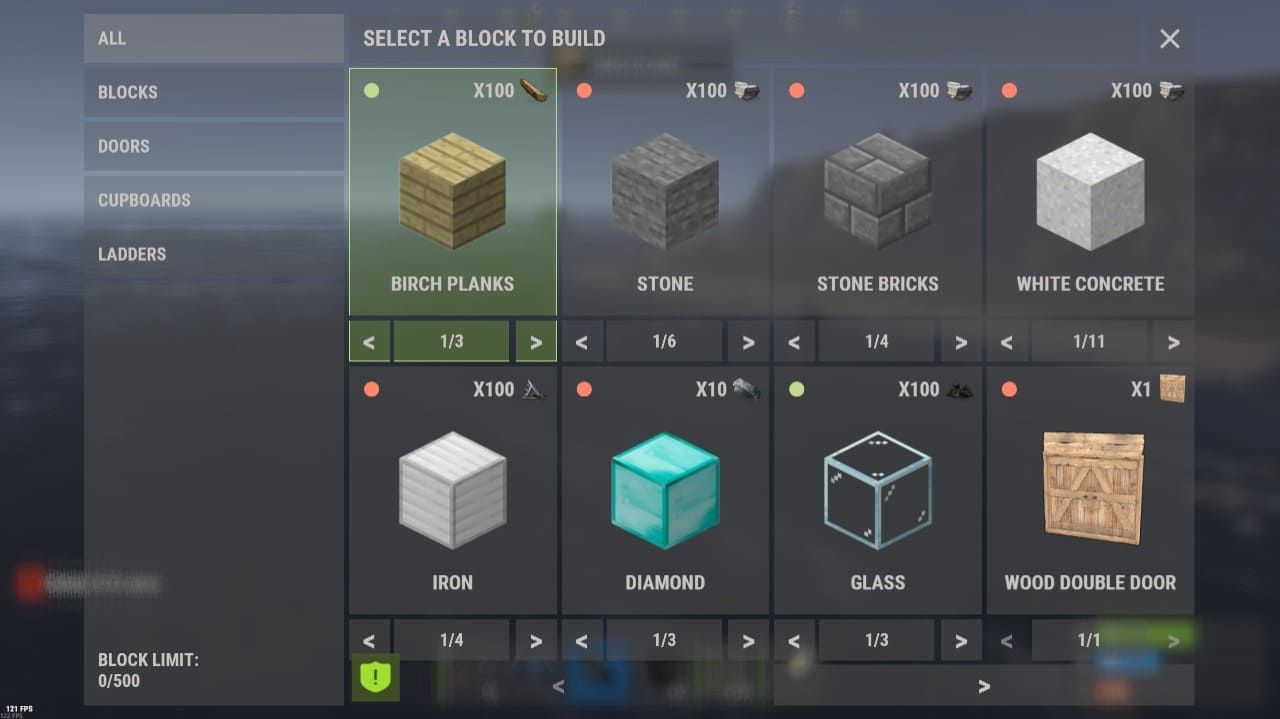 🔍 Click to enlarge
Pick, flip, decide 📋
Use the categories on the left to switch between BLOCKS, DOORS, CUPBOARDS (TC), LADDERS and STAIRS. The page arrows (< >) under each block cycle through that material’s alternate skins. Each card shows the resources required to place it — the lamp lights up green when you have enough.
- Switch categories: BLOCKS / DOORS / CUPBOARDS / LADDERS / STAIRS
- Flip pages to change colors and textures (skins)
- Your current block count and limit shown at bottom left
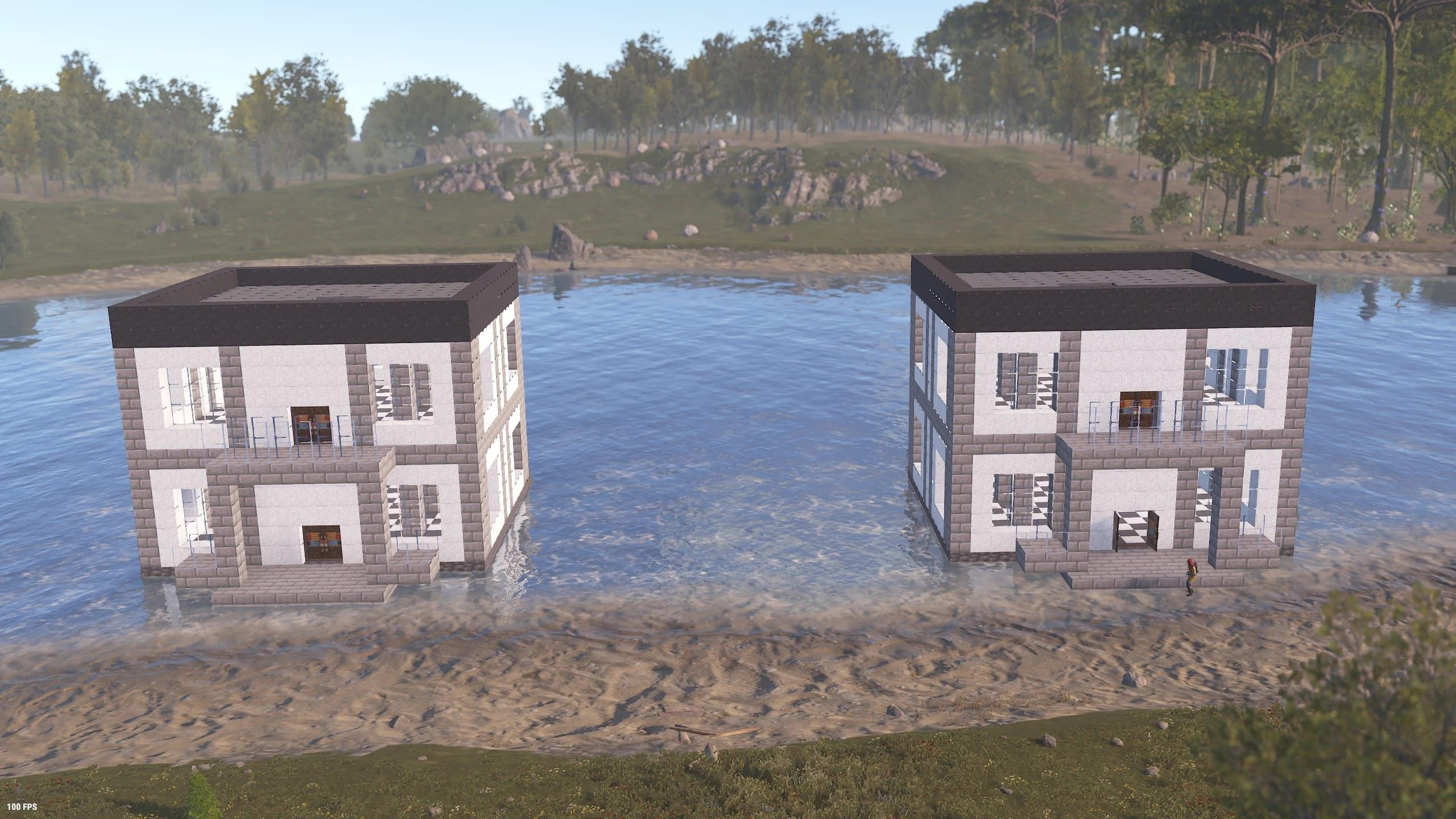
Shapes standard building could never make 🏛️
A stone manor standing at the water’s edge? With cubes, it’s all yours. Shape your build block by block, exactly as you imagine it — designs far beyond RUST’s usual limits.
The Block Catalog — 7 Materials, 34 Skins 🧱
Every material has its own look, cost and toughness. Keep it cheap and cozy with wood, or go lavish with high quality metal. Best of all, you can mix materials freely within a single build — that’s where Cube Build really shines.
Wood
3 skins1 block = Wood ×50
Birch, oak and dark planks. Cheap and easy to gather — the perfect starter material for log cabins and mountain huts. Just note it’s the only material that’s weak to fire, so be careful around fireplaces.
Stone
6 skins1 block = Stones ×50
Stone, cobblestone, granite, diorite, slate and carved sandstone — the biggest lineup of all. A great balance of cost and toughness makes it the workhorse for castles, manors, ruins and just about anything else.
Brick
4 skins1 block = Stones ×50
Stone bricks, mossy bricks, slate bricks and red bricks. Same toughness as stone, and the mortar-lined brickwork instantly makes any build look the real deal.
Concrete
11 skins1 block = Stones ×50
A full 11-color palette — white, black, red, blue, lime, pink and more. As tough as stone. From modern architecture to pixel art, when you want color, this is the one.
High Quality Metal
3 skins1 block = High Quality Metal ×5
Diamond, netherite and emerald — a dream lineup. The toughest material of them all, with a look that’s simply on another level. Save it for the spots that deserve to shine.
Glass
3 skins1 block = Charcoal ×50
The only transparent block. Clear, blue and red variants open the door to windows, greenhouses and observation decks. The beauty of natural light comes at a price — it’s the most fragile material. Treat it as decoration.
You Can Place More Than Blocks 🚪
The selection menu holds more than blocks. Lock it up with doors, connect floors with stairs, and furnish the inside — and your cube build evolves from a showpiece into a home.
Doors
Use doors from your inventory — they snap perfectly into your blocks. Add a lock and you’ve got a proper front door. Keep your entrance secured.
Ladders
Mount ladders from your inventory on block walls for easy vertical travel. A must-have for towers and high-rise builds.
Stairs
Stair pieces in the same materials as your blocks. Rotate them with R — spiral staircases are totally doable. Great for sloped roof designs, too.
Furniture & fixtures
Regular items like boxes, workbenches, furnaces, planters, lights and sleeping bags place right onto block floors and walls. Build a home with full living functionality.
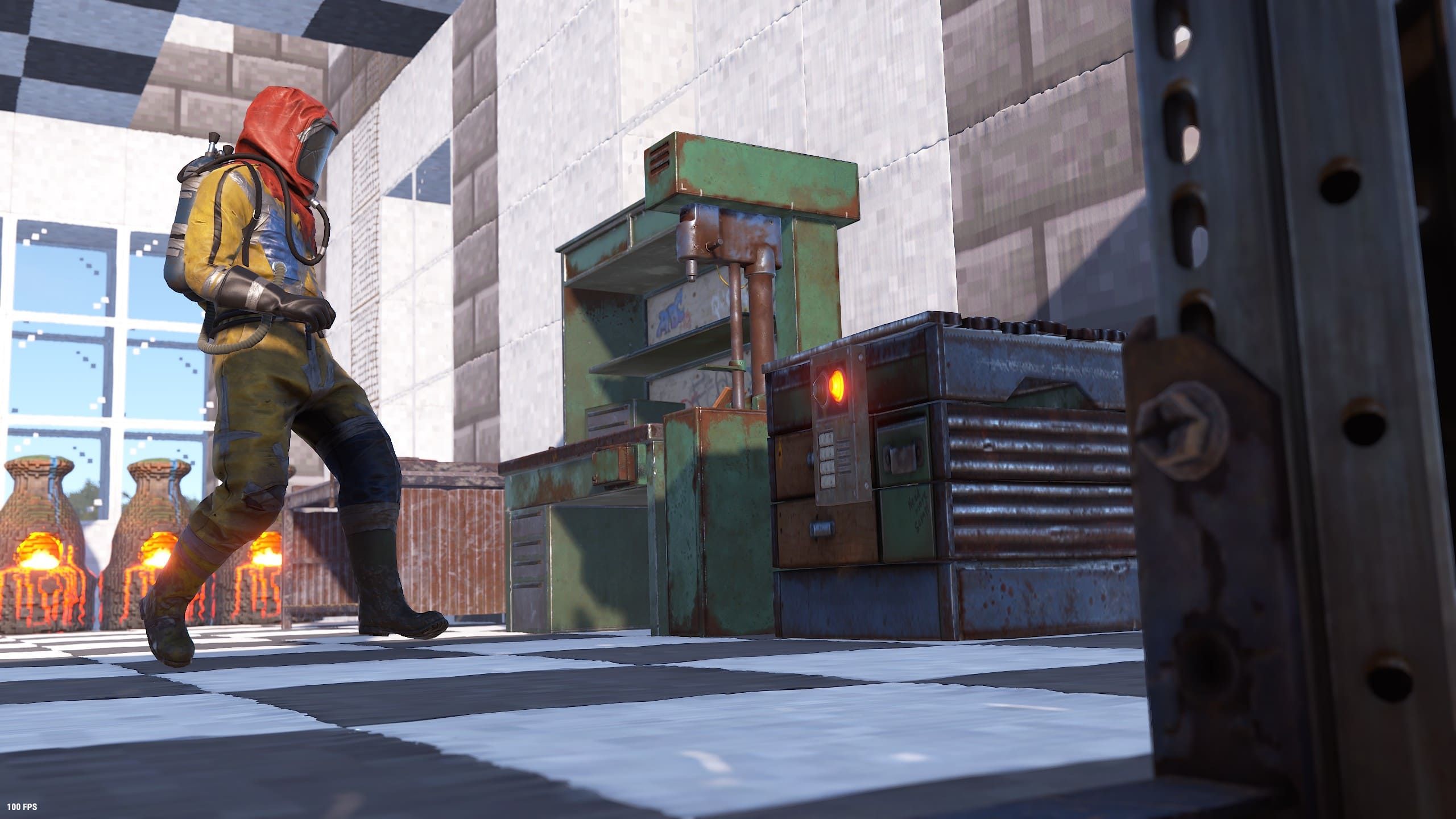
Not just for show — you can live here 🏠
A checkerboard floor with workbenches and smelting gear, cube furnaces glowing outside the window. Everything you need to progress fits inside, so your cube build can serve as your main base.
Protect Your Build with the Cube TC 🛡️
Just like normal buildings, cube blocks need upkeep. The dedicated TC (building privilege) — found in the menu’s CUPBOARDS category — keeps your work safe from decay.
Place a cube TC from the CUPBOARDS category 📦
Pick the dedicated TC from the menu’s CUPBOARDS category and place it on top of a block. You’ll need to set a lock code first — only teammates who know the code can build alongside you.
Protects a 25-block cube of space 🧊
One cube TC covers a 25×25×25 block cube. Every cube placed inside the range is covered by its upkeep. For bigger projects, split the area across multiple TCs.
Stock it with materials to stop decay ⏳
Keep block materials (wood, stones, metal and so on) inside the TC and they’ll be consumed as upkeep — no decay while it’s stocked. Open the TC to see the COST PER 24 HOURS and remaining protection time at a glance.
One-click repairs with REPAIR BASE 🔧
Damaged blocks? No problem. Hit the REPAIR BASE button on the TC screen and it repairs every block in range using the resources stored in the TC. Repairs cost half the crafting cost.
When the TC runs dry, blocks in range lose 5% durability every hour. Leave them long enough and they’ll crumble away. Keep those materials topped up.
Blocks placed outside any TC range decay at double speed. Fine for a quick temporary placement, but for a serious build, start by placing your TC.
The VIP Premium building-decay exemption does not currently cover Cube Build. Even as a VIP Premium member, please keep your TC stocked with materials to protect your cube blocks. Support for the decay exemption is planned for a future update — stay tuned.
Block Limits — Go Bigger with VIP 📈
There’s a limit to how many blocks each player can place. Everyone gets 600 to start with — plenty for your first creations. Ready to attempt something massive? A VIP plan raises the cap in a big way.
The server’s build limit counts normal building parts and cube blocks together. Stack too many cubes and you won’t be able to place new normal building parts. As a safety margin, the Cube Build limit is set 100 lower than the normal build limit — so even with your cubes maxed out, at least 100 slots always remain for normal building.
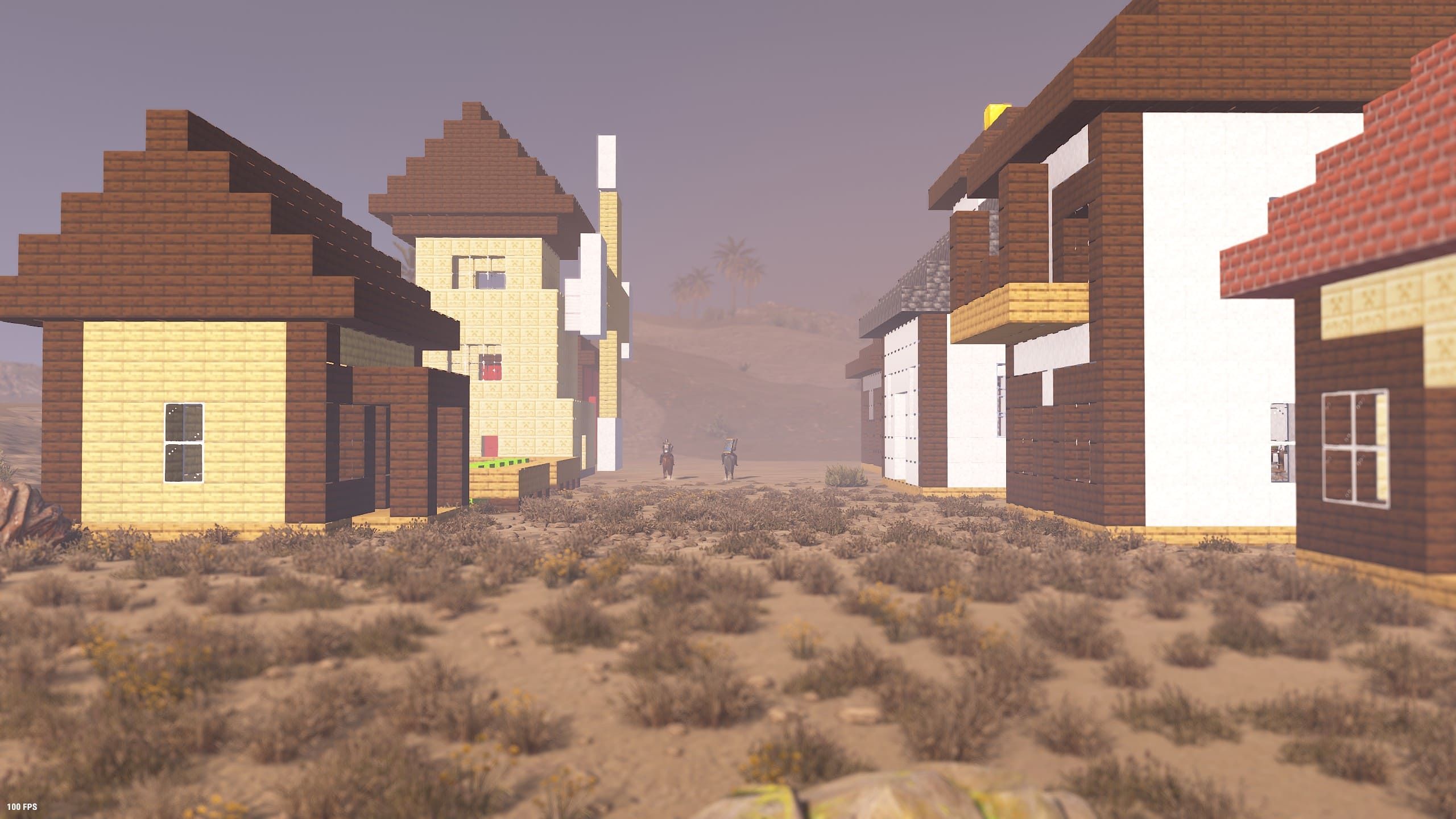
One house becomes two. Before you know it, it’s a town 🏘️
Cube homes lining a desert road. The more everyone builds, the richer the server’s scenery becomes. The next house might just be yours.
Rules Worth Knowing 🛟
A few things worth knowing before you build — every one of them designed to keep block building fun and worry-free.
Press E to pick up a block and 100% of the resources come back. With nothing to lose, you can keep reworking your build until it’s perfect. Trial and error is half the fun.
Cube blocks take no damage from unauthorized players. True to a PvE server, you’ll never lose your work to a raid. Go ahead and dream big.
The one exception is the Patrol Heli — its attacks deal normal damage to cubes. If you’re going to fight one, do it far away from your masterpiece.
You can’t place blocks directly above a stair block, inside someone else’s TC range, or where something else is in the way. If the guide frame won’t appear, shift your aim a little.
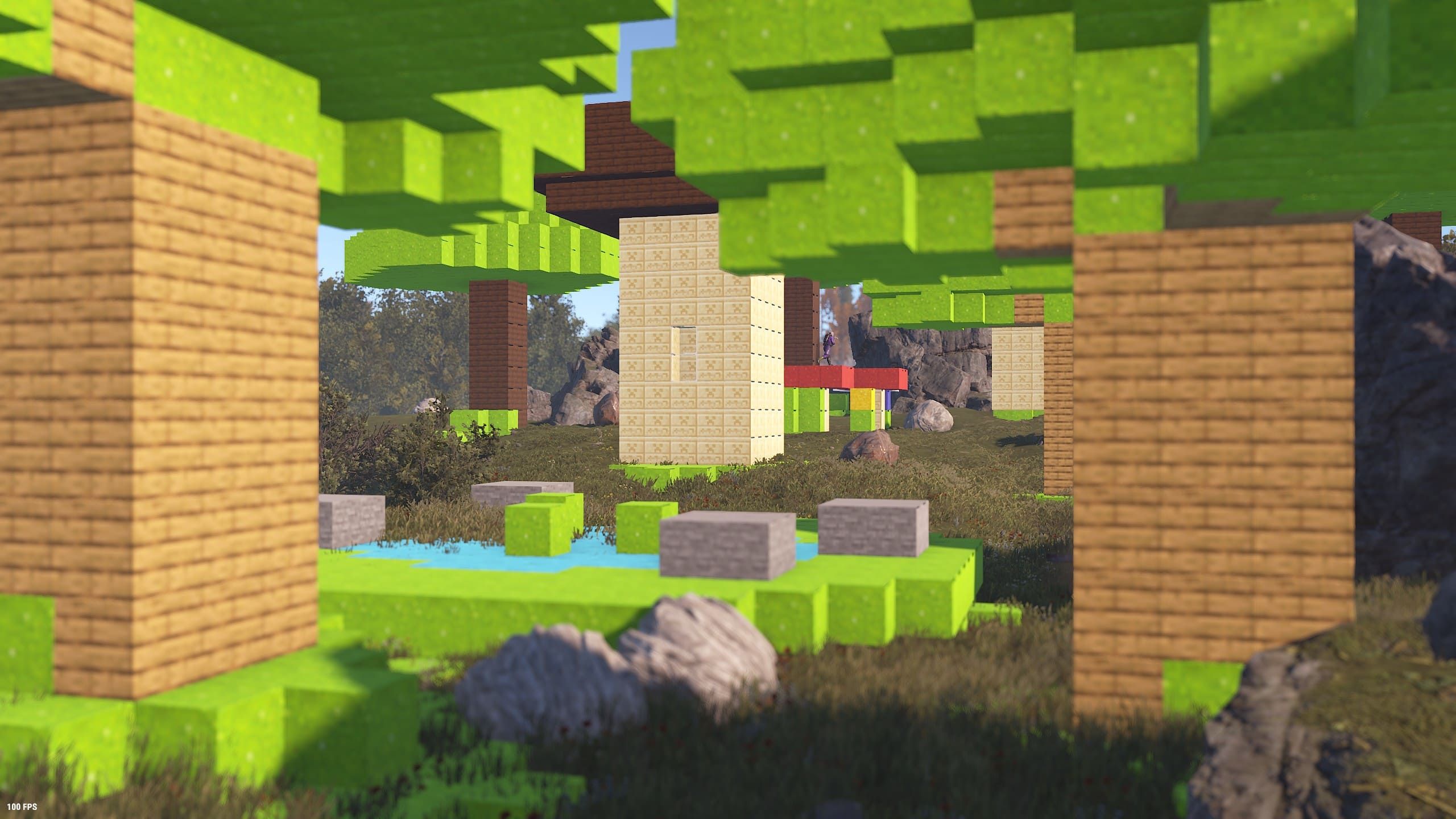
🧊 Go place your first block
Grab a Cube Planner (100 scrap) from the ONLINE SHOP’s “Special” category, and start stacking.
That building in your head? Build it in the world of RUST! 🧱✨